
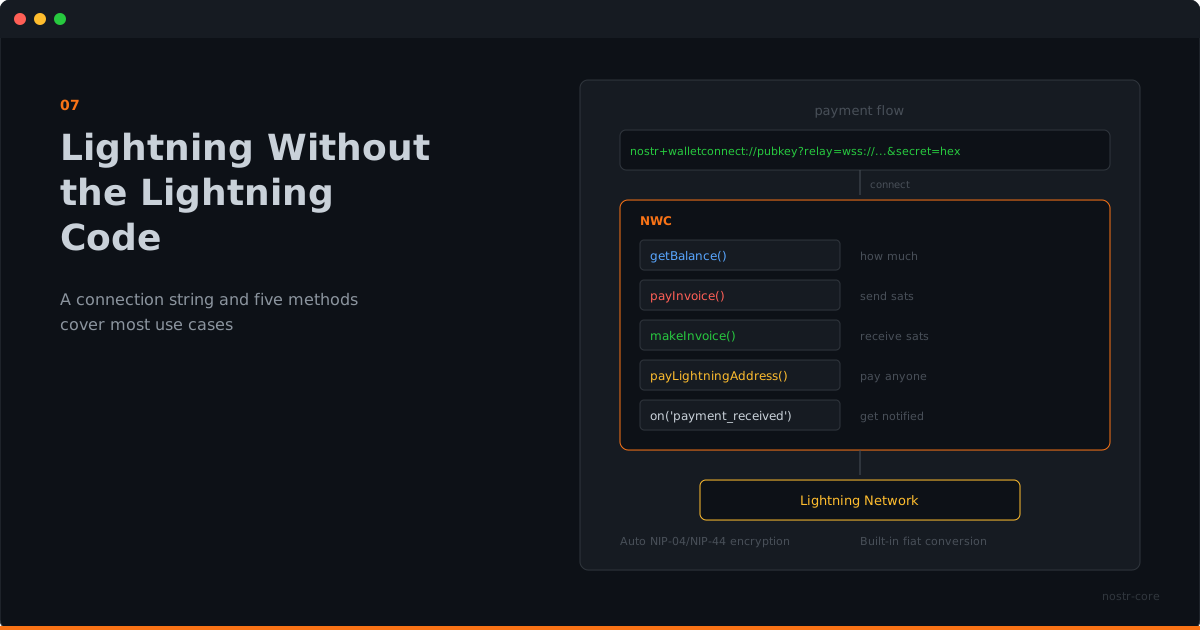
Lightning Without the Lightning Code
You don't need to understand Lightning internals to accept and send payments. A connection string and five methods cover most use cases.
Lightning Is Powerful and Complicated
If you've ever set up a Lightning node, you know. Channel management, liquidity, routing, watchtowers, backups. It's powerful infrastructure, but it's a lot to take on when all you wanted was "let users pay for things."
Most app developers don't need to run a node. They need a payment API. Something that takes "pay this" and returns "paid," without requiring a degree in Lightning Network topology.
That's what NWC gives you. And nostr-core makes NWC trivial.
The Connection String Is the Config
Someone else runs the wallet infrastructure. Maybe it's a service like Alby. Maybe it's a self-hosted setup. Maybe it's a Cashu mint behind NUTbits. You don't need to know or care.
They give you a connection string:
nostr+walletconnect://pubkey?relay=wss://...&secret=hexThat string contains the wallet's identity, the relay to communicate through, and your secret key. Paste it into nostr-core, and you have a wallet.
const nwc = new NWC(connectionString)
await nwc.connect()
Done. No node setup. No channel management. No liquidity planning.
Five Methods for Most Apps
The reality is that most applications need a small set of payment operations. nostr-core covers them:
Check the balance:
const { balance } = await nwc.getBalance()Pay an invoice:
const { preimage } = await nwc.payInvoice('lnbc...')Create an invoice:
const { invoice } = await nwc.makeInvoice({ amount: 50000, description: 'Premium access' })Pay a Lightning address:
await nwc.payLightningAddress('creator@example.com', 500)Listen for incoming payments:
nwc.on('payment_received', (data) => {
  // Unlock content, update balance, send notification
})
That's it for most apps. A membership site needs makeInvoice and payment_received. A tipping feature needs payLightningAddress. A wallet dashboard needs getBalance and listTransactions.
Fiat Conversion, Built In
Sometimes your users think in dollars, not sats. nostr-core handles conversion:
const { sats, rate } = await nwc.payLightningAddressFiat('shop@example.com', 25, 'usd')
console.log(`Paid ${sats} sats at $${rate}/BTC`)
Twenty-five dollars, converted to sats at the current rate, paid to a Lightning address. No extra dependencies. No separate API call for the exchange rate.
What You Don't Write
Here's what nostr-core handles that you'd otherwise implement yourself:
- WebSocket connection to the Nostr relay
- Event creation, signing, and serialization
- Encryption negotiation (NIP-04 vs NIP-44)
- Request/response matching over async relay messages
- Timeout handling with specific error types
- Lightning Address resolution (LNURL-pay flow)
- Fiat-to-sats conversion via exchange rate API
- Connection lifecycle and cleanup
That's not a small amount of code. And it's the kind of code where subtle bugs create real problems: payments that hang, connections that leak, encryption that silently downgrades.
nostr-core has solved these problems once, with proper error handling and typed responses. You get the result.
When You Need More
The NWC class covers the common cases. But nostr-core also exports the building blocks for when you need finer control.
Want to build a custom zap flow? NIP-57 exports zap request and receipt functions. Want to manage relay connections yourself? The Relay and RelayPool classes are available. Want to handle encryption manually for a specific use case? NIP-04 and NIP-44 are exported directly.
The high-level API gets you moving. The low-level exports let you go wherever you need.
Payments Are Just Another Feature
The best payment integration is the one your users don't think about. They click "pay," it works, they move on.
nostr-core makes that possible by keeping the developer side equally simple. Import the class, connect with a string, call the method. The Lightning complexity stays where it belongs: in the wallet infrastructure, not in your application code.
Lightning payments. One import. One connection string. npm install nostr-core